A Forest alternative for Mac that grows on your desktop
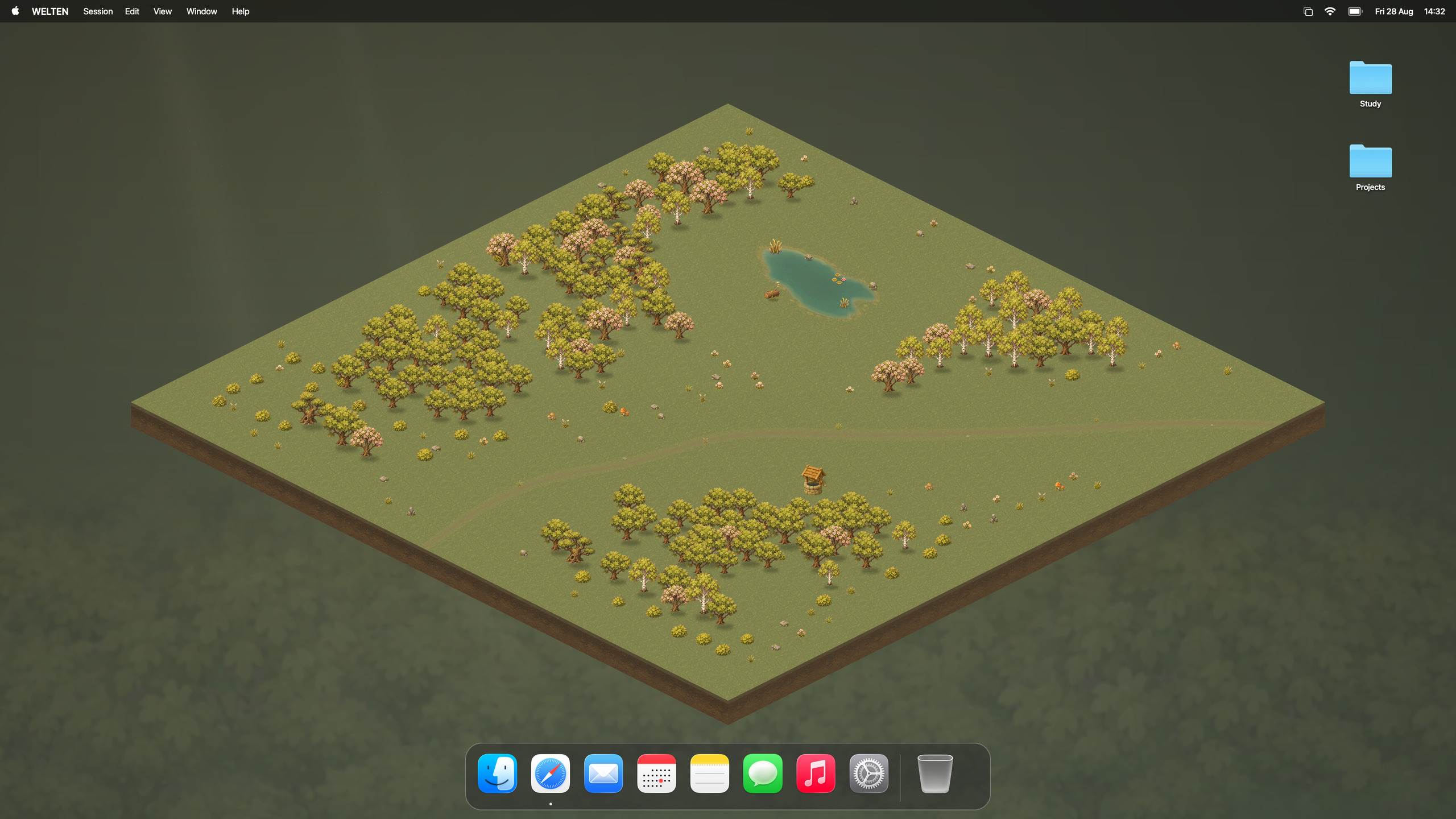
Forest has no native Mac app; on the Mac it offers a browser extension for Chrome and Firefox. WELTEN is a native Mac focus timer that plants a lasting tree behind your desktop icons whenever you finish a focus session.
Apple Silicon · macOS 14 or later · 10 completed sessions free, then €24.99 once
Is there a Forest app for Mac?
No. Forest runs on iPhone, iPad and Android, and its website offers browser extensions for Chrome and Firefox. Its App Store listing does not include the Mac. On a Mac, Forest therefore lives inside the browser rather than alongside the apps you work in.
How WELTEN turns focus into a forest
- Start a session from the menu bar or press Option-Command-F anywhere. Use the classic Pomodoro rhythm of 25 minutes with breaks, or any length from 1 to 180 minutes.
- Finish it, and a tree is planted in a forest clearing behind your desktop icons. Choose from seven tree families: Oak, Birch, Sakura, Ginkgo, Ume, Momiji and Sugi.
- Come back to a growing forest. Every tree stays. If you stop a session early, no tree is planted for it, and the trees you already have remain.
Pick a task from Apple Reminders, switch on macOS Focus through Shortcuts, or play forest sounds, noise, Spotify or YouTube while you work. Sessions, projects and your forest stay on your Mac, without a WELTEN account.
Forest, WELTEN, Flow and Session compared
| Feature | Forest | WELTEN | Flow | Session |
|---|---|---|---|---|
| On your Mac | Chrome and Firefox extension; no native Mac app | Native Mac app for Apple Silicon, macOS 14 or later | Native Mac app on the Mac App Store | Native Mac app, direct download |
| What focusing gives you | A tree grows while you stay off your phone | A lasting tree in a forest behind your desktop icons | A focus timer with statistics | A focus timer with analytics and a reflection after each session |
| Price | Free download, Forest Plus subscription | 10 free completed sessions, then €24.99 once | Free basic version, Pro subscription | Free tier, Pro subscription |
| Best fit | Staying off your phone | Seeing your focus grow on the Mac desktop | A simple timer, with app and website blocking in Pro | Blocking on the Mac and session reflection in Pro |
Checked on from forestapp.cc, Forest on the App Store, Flow pricing and Session pricing. Plans and prices vary by region and change over time.
Which one fits the way you focus?
WELTEN fits if you work on a Mac and want finished focus time to add up to something you can see, bought once rather than by subscription. It has no iPhone app and does not block apps or websites.
Forest stays the better choice if your main distraction is your phone. You can keep it on the phone and use a Mac timer at your desk.
Flow or Session suit you if blocking distracting apps and websites on the Mac matters most; both include it in their Pro plans.
Plant your first tree free
Your first 10 completed focus sessions are free, starting with a short guided session during setup. They need no account or payment details and never expire. When you’re ready for more, buy WELTEN once for €24.99.
Download it here or get the Mac App Store edition, which also starts with 10 free sessions. Each edition keeps its own purchase and forest. Requires an Apple Silicon Mac with macOS 14 or later; the app is in English.
Written by the maker of WELTEN. Forest is a product of Seekrtech Co., Ltd.; Flow and Session belong to their respective makers. WELTEN is independent and not affiliated with any of them.